


Automated Callout Software
Automated Callout Software That Proves Every Call Was Fair
When coverage disappears at 2 a.m., the callout list decides who gets contacted and in what order. Snap Schedule 365 identifies who is eligible, contacts them one at a time through the methods your organization has set up, gives each person a defined window to respond, and moves to the next name on the callout list automatically when that window closes. Every offer, response, and assignment stays on the record.

How an automated callout works

Find the coverage gap
Create an opportunity for the shifts you need covered, or generate them automatically from coverage requirements that are not currently met.
Identify who is eligible
An employee selection rule determines the candidate pool — who is available, who has no conflicting assignment that day, whose hours stay within daily and work period limits, and who is authorized at that location. Narrow further per shift by home location, allowed position, and required skill.

Contact employees in order
Snap Schedule contacts candidates one at a time, in list order. Each person gets a response window you define. When it closes without an answer, the offer expires and the next candidate is contacted — no supervisor waiting by the phone.
Assign and keep the record
Assign the shift when someone accepts. The opportunity and every candidate record stay in place as a permanent account of what happened.
Standard Callout Rules, Unlimited Combinations
Build as many callout rules as your operation needs
A callout rule is a named combination of standard criteria. Build as many as you need — one for each department, bargaining unit, location, or situation — and choose the right one when you create an opportunity. No IVR to script and no database to modify.
Standard criteria
Narrow any opportunity further by home location, allowed positions, and required skills — set per shift, so a single opportunity can cover several roles with different requirements.


Your Agreement, Not a Template
When your contract does something a standard callout settings screen cannot
Overtime is defined differently almost everywhere. Some organizations count hours by assignment reason, some reset on a different cycle, some only count hours above a threshold. Collective bargaining agreements then layer on rules about who gets called first, what a refusal costs, and when voluntary work becomes mandatory. No configuration screen anticipates all of it — so we can build yours.
Examples of custom callout rules
Custom callout rules are encoded and implemented by the team that builds Snap Schedule, from your actual contract language, and they run alongside the standard rules. You maintain them afterward through the custom rule’s settings screen. Most of our customers run at least one — some straightforward, some genuinely intricate.
A Record, Not a Recollection
Answer the question months later with evidence
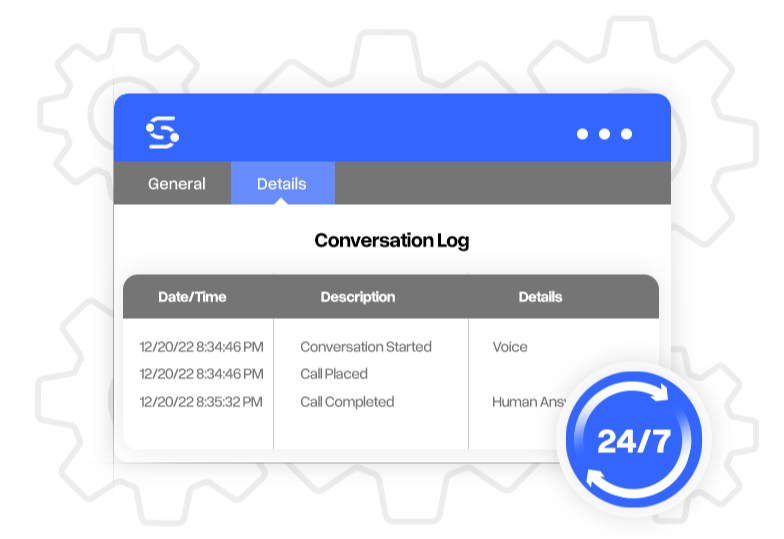
Transparency and fairness in work distribution are paramount, especially in environments governed by strict union rules or collective bargaining agreements. When someone believes they were passed over, the question is who was eligible, what order they were contacted in, and what each person said. Reconstructing that from call sheets and memory is slow and rarely conclusive. Snap Schedule keeps the answer attached to the assignment it produced.

Real-Time Insights
Watch the shift fill instead of chasing it
While a callout runs, the status view updates as responses arrive. Supervisors see how many positions are still needed, who has answered, and how far down the list the process has reached.
Time Saved
Eliminate manual callout time and mistakes
Organizations that assemble coverage by hand often describe a full callout taking 45 to 60 minutes — one person working down several lists, dialing multiple numbers per employee, and leaving messages as policy requires, usually while managing the event itself. Automation returns that hour and removes the transcription errors that come with it.

See a callout run against your own rules
Bring us the sequence nobody can explain, the rotation that never balances, or the grievance you are still arguing about. We will show you how the standard rules handle it — and what we would build if your agreement needs more.
Frequently asked questions
Employees respond through the contact methods your organization has set up, and can also see and answer offers on the Open Shifts screen in Employee Remote Access. A decline is recorded immediately and the next candidate is contacted without waiting out the response window. If an employee does not answer at all, the offer expires when their window closes and the process moves on — expired and declined are recorded separately.
Candidates are contacted in the order the selection rule produced, one at a time, and every step is recorded — who was eligible, who was contacted, when, and what they answered. There is no scoring or hidden preference. Where an agreement specifies a particular order, that ordering is built into a rule so the same sequence is followed every time.
That depends on the method. A callout contacts candidates one at a time in order, so each person gets a fair opportunity to respond before the next is approached — which is what most union agreements require. Shift bidding offers the shifts to all candidates at once and lets them submit bids, which suits non-urgent coverage where you want to see who is interested. Both are standard; you choose per opportunity.
No. Snap Schedule does not capture or store call audio. It records the callout interaction — who was offered the opportunity, when, and what they answered, including acceptances, declines, expired offers, and bypasses — and retains that as the audit trail.
Yes. Create as many named callout rules as you need and apply the right one per opportunity, so different departments, locations, and bargaining units can each follow their own process within one system.
You configure eligibility yourself: availability, conflicting assignments, daily and work period hour limits, home location, and location authorization — combined into as many named rules as you need. Contract-specific mechanics such as ordering by accumulated overtime, seniority tiebreaks, charged declines, escalation from voluntary to mandatory, and list rotation are built by our team from your agreement, because overtime is defined differently at almost every organization. Once built, they run in your system and you maintain them through the rule’s settings.
No. There is no IVR to script and no telephony platform to configure separately. Standard rules are set up in the application; contract-specific rules are built by our team and delivered into your system.
Organizations that assemble coverage manually often describe a full callout taking 45 to 60 minutes. An automated callout compresses that to minutes: the system builds the eligible list, contacts candidates in order, advances automatically when a response window closes, and records everything as it goes.